 Recho Host

Becoming a live stream host is one of the best ways to earn money on Recho Live. The job of a host is very simple: just go live on camera, make new friends, and collect virtual gifts from your viewers. If going live isn’t quite your style, the agent route might be the better fit for you. While this sounds like other apps, Recho Live gives you extra rewards you will not find anywhere else! Let’s look at the simple Recho Live host and agent registration steps so you can start making money today.
Recho Live Host and agent Registration Guide (Step-by-Step)
1. Download the app
First, open the Google Play Store. Tap the search bar, type in “Recho,” and hit the download button to install the app on your device.
2. Create your account
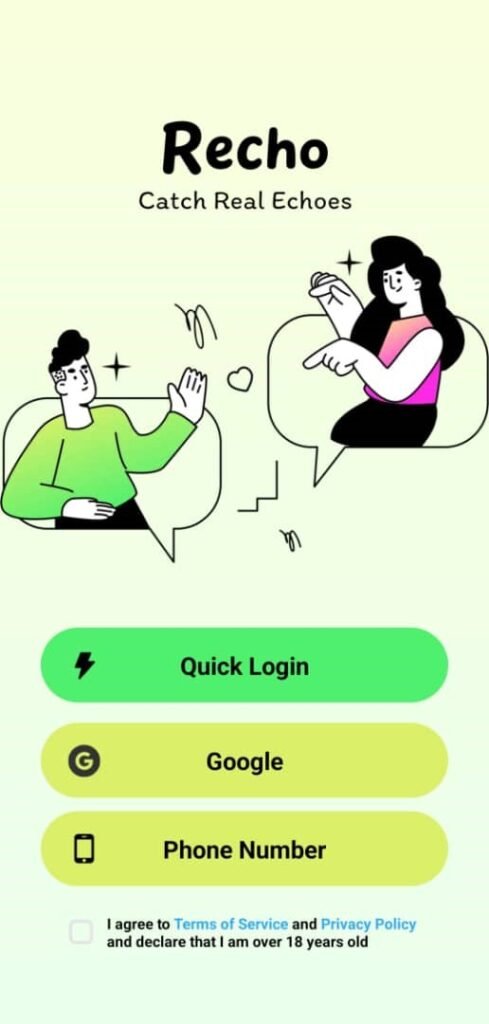
Open the app to start setting up your new profile. The app will easily guide you through the setup. We recommend signing up with your Google account or your phone number for a fast and safe registration.
3. Fill out the information
Next, the app will ask for some basic details about you. Carefully select your gender, enter your date of birth, and upload a clear profile photo so your viewers can see you.
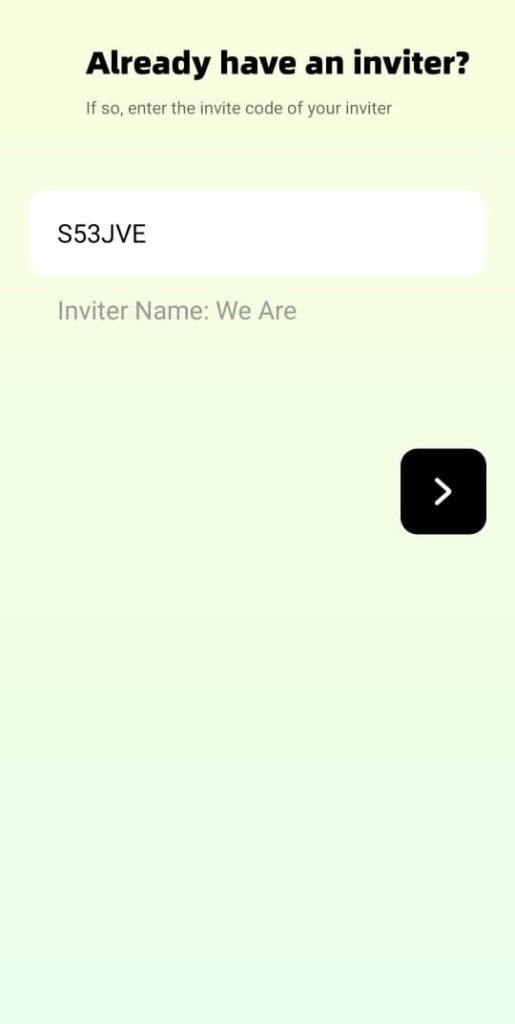
4. Enter the invitation code
This is a very important step!
a. To register as a host type in the special invitation code 43GXE before you finish.
b. To register as an agent type in S53JVE
Fixing Common Registration Problems
- I selected the wrong gender or Country
Be very careful when you fill out your info! Unfortunately, you cannot change your gender or country after you finish your registration. If you make a mistake, you must create a completely new account with the correct details.
- I Can’t Access the Registration Link
Make sure you are clicking the exact link provided on this page. Our registration link works perfectly on both iPhone and Android phones, so it should load easily for you.
- I’m Having Trouble Uploading a Photo
When you first sign up, you must take a natural, unedited photo with no filters. Once your account is fully approved and set up, you are free to change your main profile picture to any edited or filtered photo you like!
Recho Live Host FAQ
- Entered the wrong username?
No worries! You can update your username at any time. Just tap your profile photo and click the Edit button. This will open a new menu where you can change all of your profile details.
- Signed up with the wrong email?
The app sends a secret verification code to the email you type in. If the email is wrong, you will not get the code. Your best option is to make a brand-new account using the correct email address.
- Can I register more than one host account on the same device?
No. The app strictly allows only one registered account for each physical phone.
- Can hosts switch to a different agency?
Yes, but it’s not immediate. A host must first submit a request to leave their current agency and wait for approval before transferring to a new one.
- Is screen recording allowed on the app?
No. To keep you and your viewers completely safe, Recho Live blocks screen recording everywhere on the platform.
Getting Started with Recho Live
The Recho Live host and agent registration process is very fast and great for beginners. If you followed these steps, congratulations! You are ready to explore the app and see what it is like to be an official host.
As you get used to the platform, take some time to look around. Customize your profile and watch other hosts to learn how they talk to their audience. Do you still have questions about getting started, hosting features, or using the app? Our team is always happy to help. Reach out to us anytime, and do not forget to visit our blog for more easy tutorials!