 Recho Host

Have you finished your host registration? Great! Your next important step is the Recho Live face verification. This fast and easy process is a must for all new hosts. You have to finish it before you can start your first live stream or cash out your money. Let’s look at exactly how Recho face verification works and how to fix common problems you might see along the way.
How to Verify Your Face on Recho Live (Step-by-Step)
1. Go to the Profile menu
First, open the Recho Live app on your phone. Look at the bottom of your screen and tap on your personal Profile menu to open your main account page.
2. After that, click “My Coin”
Once you are inside your profile, look for your digital wallet. Click on the button that says My Coin to see your current earnings and balance.
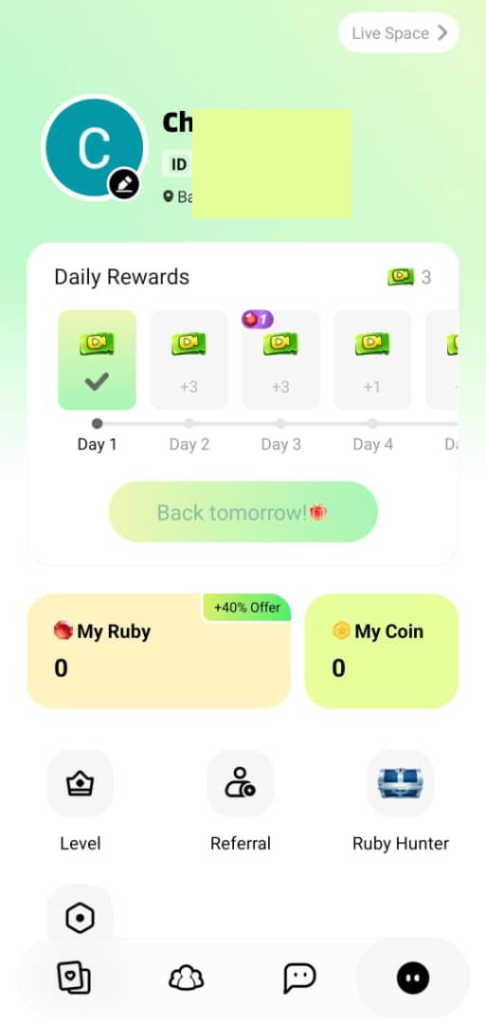
3. Then click “Withdraw”
Inside the My Coin menu, tap on the Withdraw button, just like you are getting ready to cash out your money.
4. Click the “Face Verification” option
Because you are a new host or agent, the app will ask you to prove who you are before it lets you withdraw. Click on the Face Verification button on your screen.
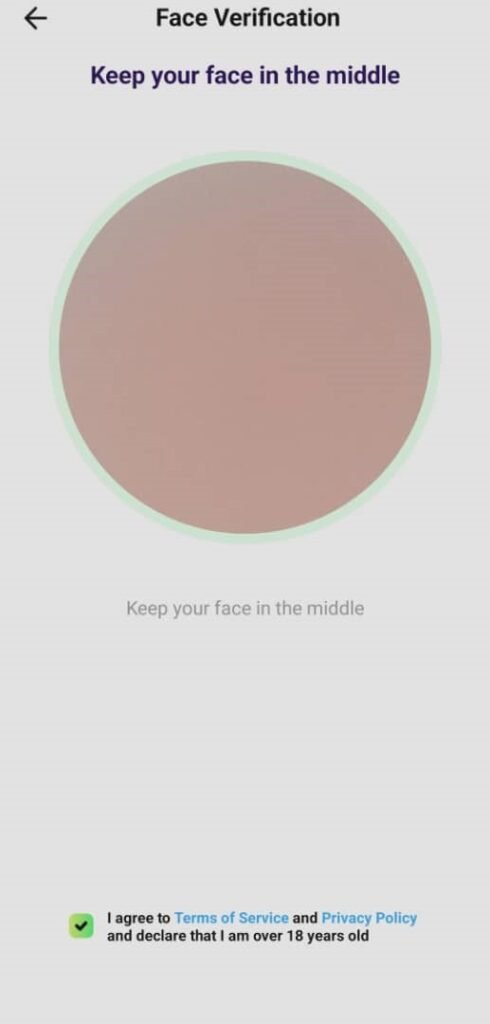
5. Follow the on-screen instructions
Your front camera will turn on. Simply follow the easy instructions on the screen! You might need to look straight at the camera, blink, or nod your head to finish the quick scan.
Fixing Common Face Verification Problems
- The App Won’t Access My Camera
First, check your phone’s main settings to make sure Recho Live has permission to use your camera. Also, check your app store to make sure you have the newest version of the app. If it still does not work, try restarting your phone.
- My Face Verification Is Still Under Review
Most face scans are approved in just a few minutes. However, sometimes it takes up to three business days if a real person needs to check it. If you have been waiting longer than three days, reach out to our team for an update!
- My Face Verification Was Rejected
This usually happens for two reasons: the video scan does not look like your profile picture, or there is another person standing behind you in the video. Make sure your profile picture is a clear photo of your face, and make sure you are totally alone in a bright room when you try the scan again.
Recho Live Face Verification FAQ
- What happens if I don’t complete face verification?
If you skip this step, you will not be able to go live on camera, and you cannot withdraw any of your money. It is a strict rule for everyone who wants to be a host.
- What if I make a mistake during the video verification steps?
Do not worry at all! You can try the video scan as many times as you need until it works. You will not get in trouble for retrying.
- My face verification keeps getting rejected, what should I do?
The app gives you a few chances to try every day. If you try too many times and hit your daily limit, just wait 24 hours and try again tomorrow. If it still rejects you after many tries, contact our support team and we will help you fix it.
The Sooner You Verify, the Sooner You Earn
Recho Live face verification might seem like a small detail, but you do not want to put it off! Without it, you cannot start streaming or touch your earnings. Finishing it early sets you up for a great, easy start on the app. The scan only takes a few seconds, and with this guide, you know exactly what to do.
Do you have more questions about verifying your face or using the Recho Live app? Our team is always just a quick message away. Do not hesitate to get in touch with us, or visit our blog for more easy tips and information!